Minecraft screenshare toolCatch Minecraft cheaterswith one PIN and one scan.
MikeySS is the SS tool that does the screenshare for you. Give the player a 6-digit PIN, they run the scanner once, and your staff get a verdict with every finding explained in plain words. The ban decision stays with you.
For Minecraft Java on Windows. Free with 5 PINs a day, no card.
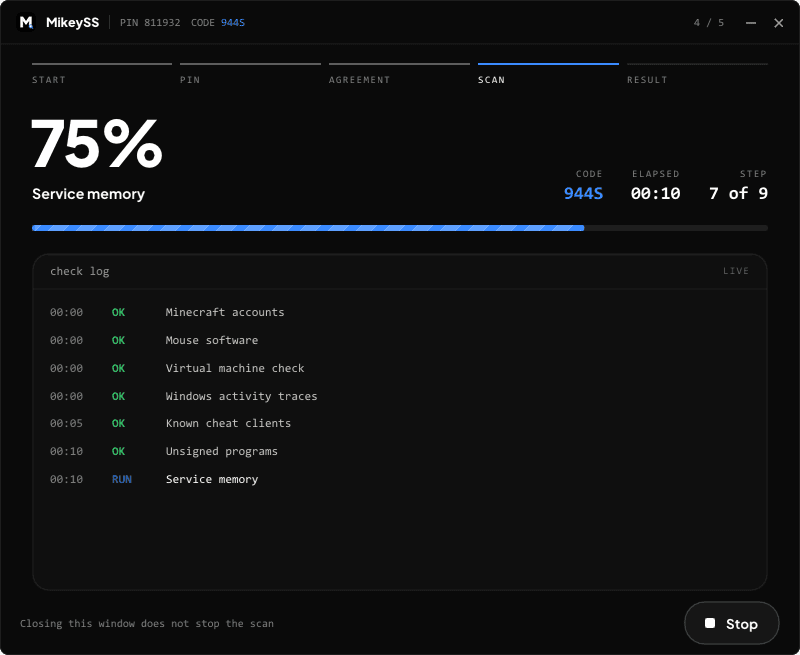
How a screenshare works. Three steps, and nothing runs until the player agrees.
- 1
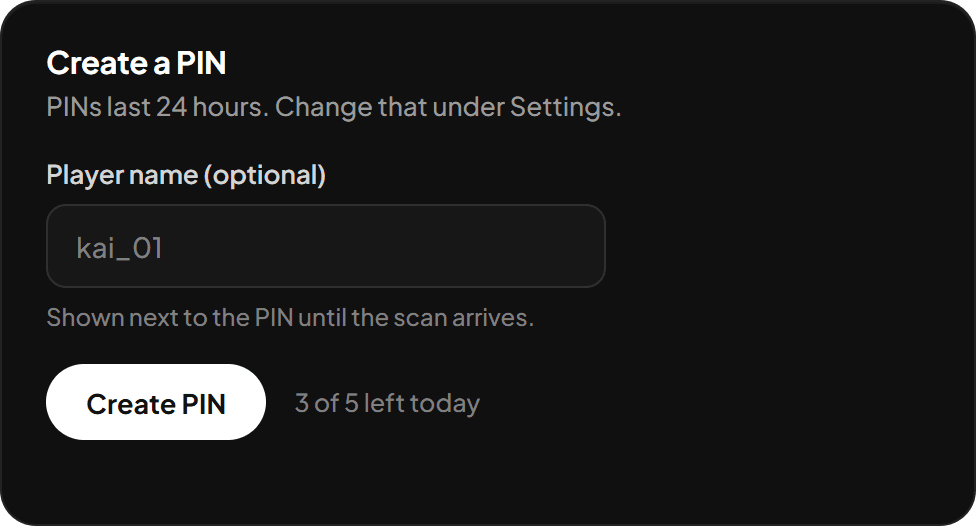
Staff creates a PIN
One click in the console makes a 6-digit PIN for the player you are checking. It works once and runs out on its own.
- 2
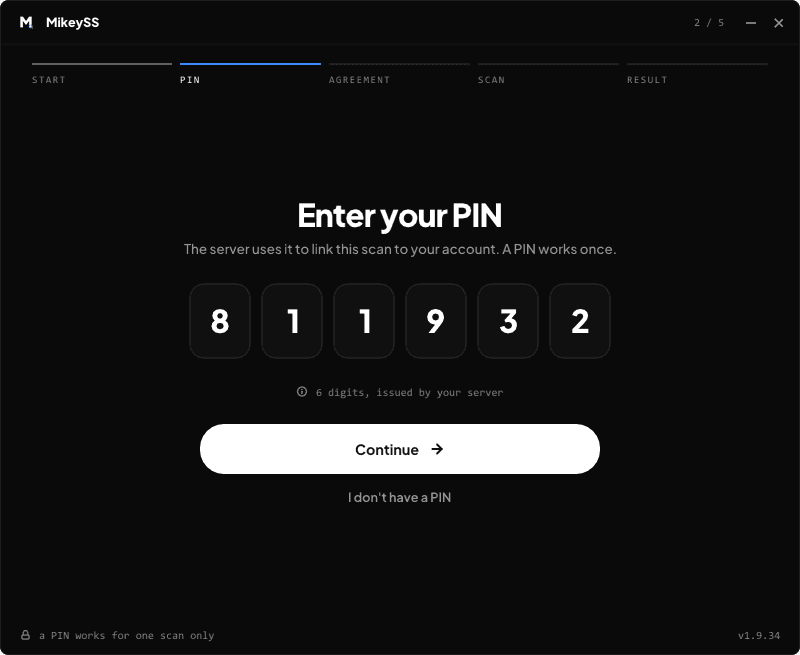
The player runs the scanner
They download it, type the PIN, read what is scanned and sent, and agree. Nothing runs before they agree.
- 3
The report lands in your console
A few minutes later the scan is there with a verdict and every finding. The ban decision stays with your staff.
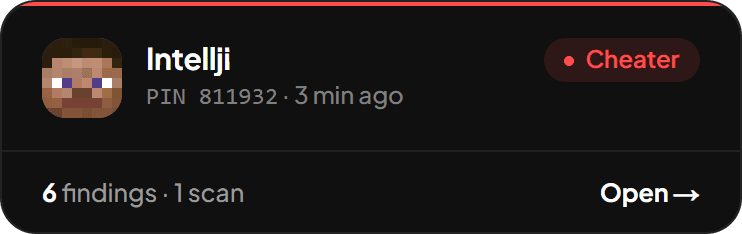
What it checks. Every place a cheat can hide on a Windows PC.
The places a screenshare checks by hand, in one scan. Each finding says what was found, where, and why it matters, so your staff know what they are looking at. All 81 checks, by name
- 01The running gameFinds a cheat that is loaded right now, wherever its file is hidden, and shows which client they are on.
- 02Every mods folderCatches cheat mods and renamed or spoofed jars, even in an instance that is not open.
- 03Run history and downloadsShows a cheat that was downloaded, run and deleted before the screenshare.
- 04Cheat clientsA client in a game profile is the clearest evidence you will get.
- 05Service memoryShows a cheat that was closed or deleted before the screenshare.
- 06Accounts and altsLinks the player in front of you to alts that are already banned.
- 07Mouse softwareFinds autoclick and hold macros that never touch the game files.
- 08Unsigned executablesPoints at injectors and loaders that sit outside the game folder.
- 09Bypass attemptsSomeone who wiped the evidence right before a check has a reason.
- 10PowerShell historyYou read the exact commands and judge them yourself.
- 11USB and other drivesFinds a cheat kept on a stick. A stick pulled out a minute before the check is worth a question.
- 12VM and sandboxA clean result from a throwaway VM tells you nothing about the gaming PC.
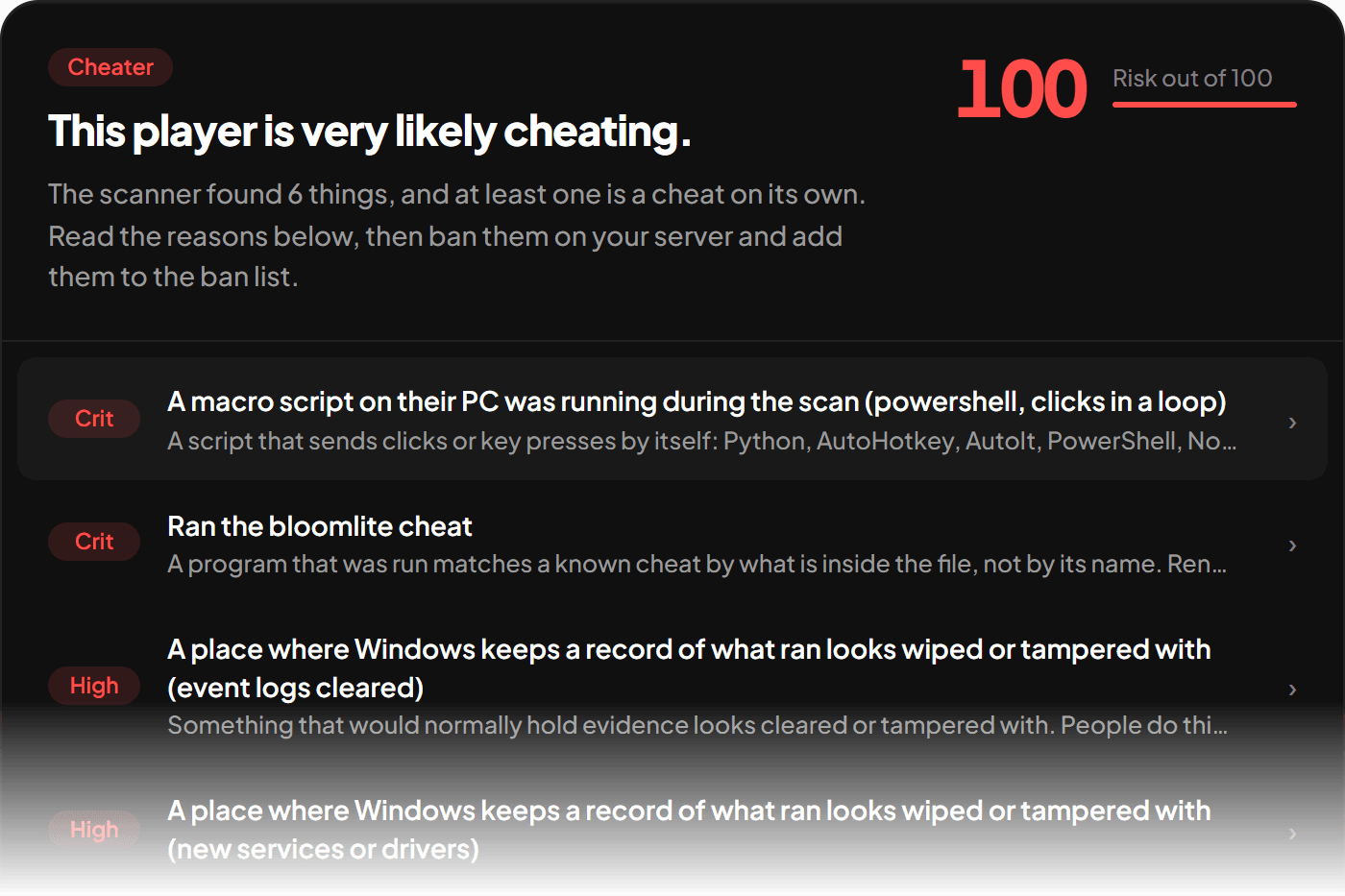
Every finding explained. A verdict on top, and the reasons under it.
- CheaterAt least one critical finding, like a cheat mod in the game's own folder.
- SuspiciousThe worst finding is high: worth a closer look before you decide.
- Low riskOnly medium findings: worth knowing, not proof on their own.
- CleanNothing flagged.
Your staff can overrule any verdict, and the scan keeps a record of who did.
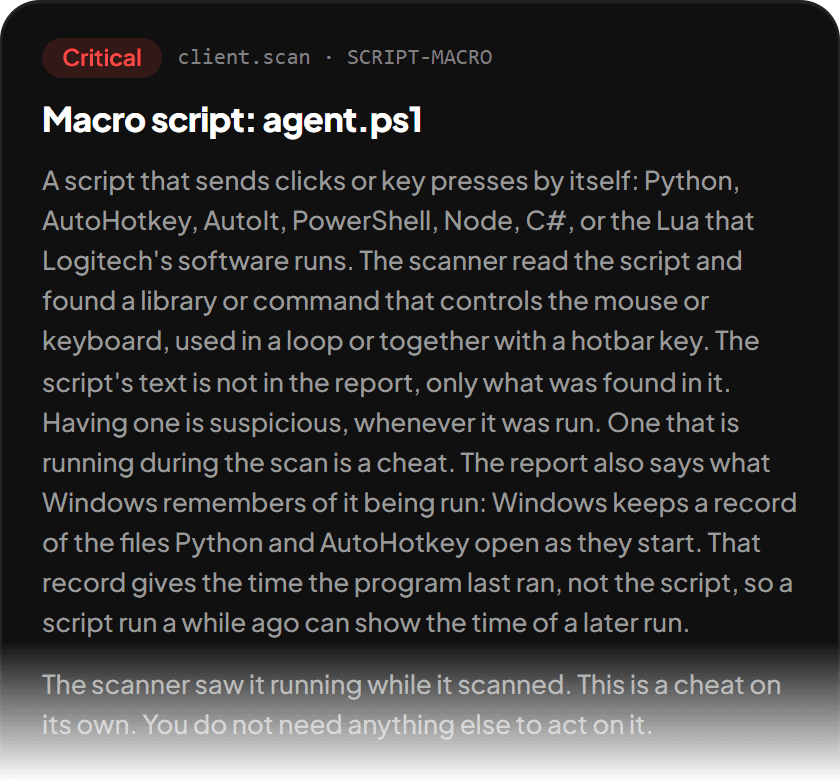
A report you can trust. Hard to fake, harder to swap.
Every report is signed by the scanner, and the site checks what it saw for itself.
- A code on the player's screenThe scanner shows a 4-character code while it runs, and staff see the same code in the console. If they differ, the scan came from another PC.
- One run, one sessionEach start of the scanner gets its own session. A report that arrives without it is flagged critical, and uploads without it are refused.
- The clock is checkedA scan that says it took longer than the time between its start and its report, as the site measured it, is flagged.
- PCs are rememberedA PIN used from two PCs, a PC shared with a banned player, or a player back on a different PC than before are all flagged.
Your console. Built for a team, not one person with a password.
Invite your staff with a link. Owners and admins manage the team, screensharers issue PINs and read scans. Every scan a player has ever had is on one page, with a watch list, a ban list and a log of who did what.
- Seats & roles
- Discord alerts
- Ban & watch list
- Linked accounts
- Audit log
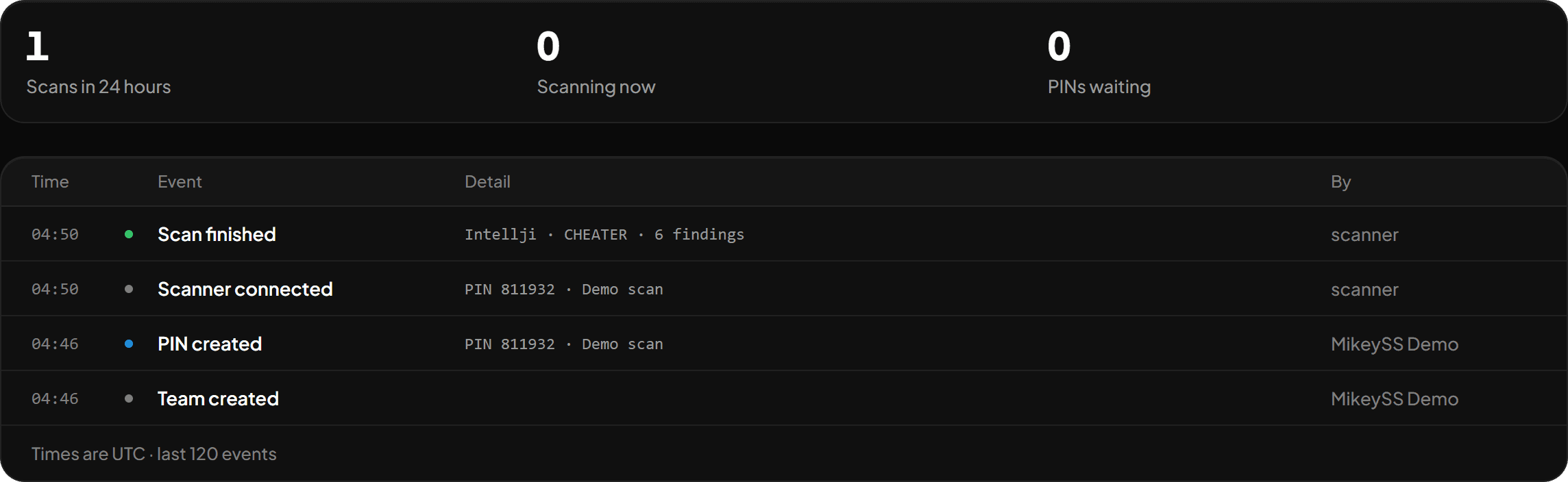
The player agrees first, and only your team sees the result. No keystrokes, no screen recording, no account you ask them to make — one file, one PIN, one report.
What the scanner stores, and who can see itPricing. Start free, pay when your team needs more.
Plans differ in PINs per day, staff seats and how far back your scan history goes.
Free
Try it on your server.
Pro
For an active staff team.
Nothing renews by itself
$9.17 a month, save $4.94
$8.33 a month, save $19.88
Team
For a bigger staff team.
Nothing renews by itself
$13.67 a month, save $7.94
$12.50 a month, save $29.88
Enterprise
For networks, with MikeyAC.
Nothing renews by itself
$27.50 a month, save $14.94
$25 a month, save $59.88
Pay by card or in crypto from Billing in the console. Pay for 30 days, 6 months or a year at a time, and nothing renews by itself.
Questions. What server owners ask before they switch.
What is a Minecraft screenshare tool?
- A screenshare (SS) tool is what Minecraft server staff use to check a player's PC for cheats. In a screenshare done by hand, staff watch the player's screen while they dig through folders and Windows records. With an SS tool like MikeySS, the player runs one scanner and staff get a report of what it found, with a verdict.
What does MikeySS check?
- 81 named checks: deleted files and the traces they leave (the USN journal, the Master File Table, the recycle bin), 23 bypass and tampering checks such as cleared event logs and hidden prefetch files, Windows' records of what ran (prefetch, BAM, UserAssist, ShimCache, PCA, jump lists), the running game's memory, Java agents and injected code, every mods folder checked against Modrinth and CurseForge, USB drives, and whether the PC is a virtual machine. Every check is listed by name on the MikeySS detection page.
How does a MikeySS scan work?
- Staff make a 6-digit PIN in the console. The player downloads the scanner, types the PIN, reads what is scanned and sent, and agrees. The scan takes a few minutes and shows a short code that staff see in the console too. The scanner then sends a signed report, and the site checks that it came from that run. Staff get a verdict (Cheater, Suspicious, Low risk or Clean) with every finding explained, and the ban decision stays with them.
Is MikeySS safe to run, or is it a virus?
- MikeySS is not a virus. Some antivirus programs flag it because a screenshare tool reads the same places malware would, like the disk's file records and browser history; the MikeySS antivirus page explains every flag. The scanner only runs after the server's staff give the player a PIN and the player agrees. It installs nothing, leaves no files or registry settings behind, never records keystrokes, and takes one picture of the Minecraft window only. The report goes to the staff of the server that made the PIN. Download it only from mikeyss.com, where the file hash is listed to check your copy against.
How does MikeySS compare to other screenshare tools like Echo and Ocean?
- Pro is $9.99 per 30 days with 5 staff seats, cheaper than any Echo paid plan (from £12.99 a month for one staff member), and the free plan has full reports. MikeySS also compares every mod with its published release on Modrinth and CurseForge, which neither Echo's nor Ocean's site lists. Ocean's $12 lifetime Minecraft plan (Ocean+) is cheaper if you screenshare on your own, and both cover games other than Minecraft. The full side-by-side is on the MikeySS compare page.
What is the best value Minecraft SS tool?
- MikeySS starts free: 5 scan PINs a day with full reports, no card needed. Pro is $9.99 for 30 days with 100 scan PINs a day, 5 staff seats and Discord alerts, Team is $14.99 for 12 staff seats, and Enterprise is $29.99 for 1,000 scan PINs a day and 25 seats. Every plan runs the same scanner, and nothing renews by itself.
Can I try it for free?
- Yes. Sign up, make a team and you get 5 scan PINs a day on the free plan with 7 days of history. Upgrade when your staff needs more.